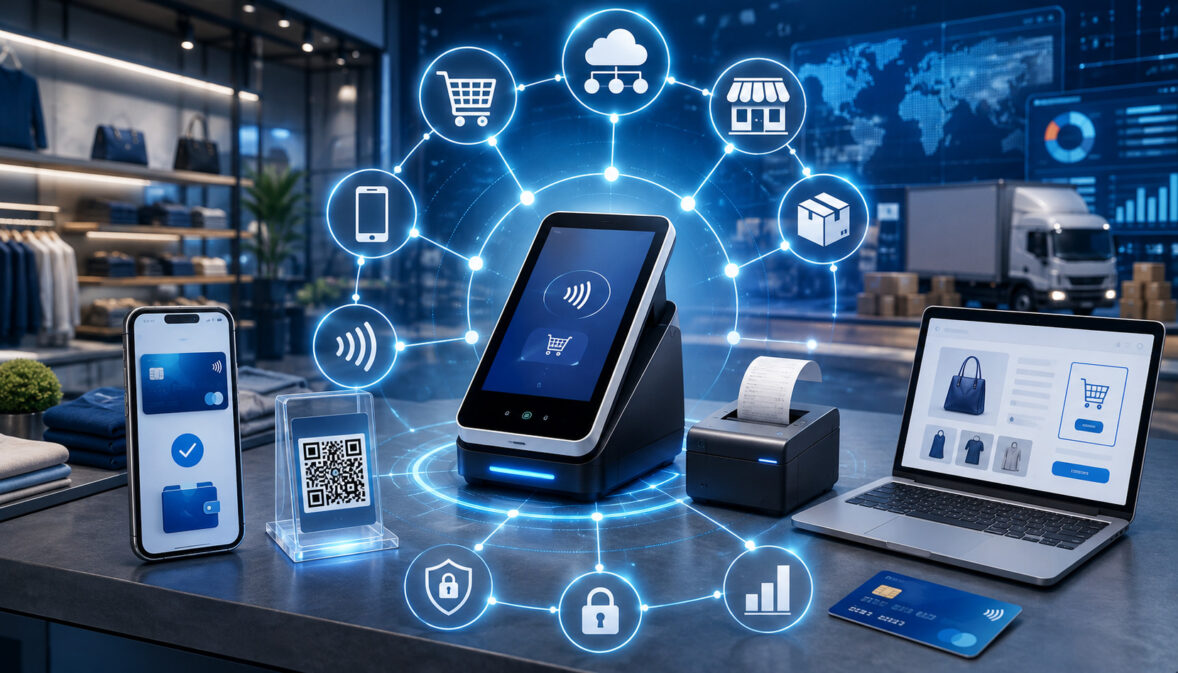
Customers rarely think about payment channels as separate systems. They may discover a product on a mobile device, place an order through an ecommerce checkout, collect it at a physical location, and later request a refund through customer support. They expect each interaction to reflect the same purchase, customer record, payment status, and return policy.
For businesses, delivering that continuity requires more than accepting cards in several places. It requires payment technology, order systems, customer records, inventory data, refund processes, and financial reporting to exchange accurate information. This connected model is the foundation of omnichannel payment processing.
An omnichannel payment system can link physical point-of-sale terminals, ecommerce stores, mobile applications, virtual terminals, payment links, online invoices, digital wallets, recurring billing, and electronic bank payments. Transactions may begin in one channel and continue in another without forcing employees or customers to reconstruct the purchase manually.
The goal is not simply to add more ways to pay. It is to create a connected payment experience in which transaction information remains consistent across channels. Achieving that goal requires compatible systems, secure data handling, clear operating procedures, careful testing, and regular reconciliation.
What Is Omnichannel Payment Processing?
Omnichannel payment processing is an integrated approach to accepting, managing, and reporting payments across physical and digital sales channels. It connects payment activity with related customer records, orders, transaction histories, refunds, subscriptions, receipts, and financial reports.
For example, a customer might place an order online and return one item at a physical location. In a connected system, an employee can find the original order, confirm the amount paid, identify the payment method, apply the return policy, and issue an appropriate refund without asking the customer to contact a separate ecommerce department.
The same concept may apply when a customer begins a purchase in a mobile application and completes it through a website, pays an invoice through a secure link, or updates a stored payment method used for recurring billing. The payment channel changes, but the business retains a consistent view of the customer and transaction.
Omnichannel payment acceptance usually depends on several connected components:
- A point-of-sale system for physical transactions
- An ecommerce platform or checkout
- A payment gateway
- A payment processor
- A merchant account or comparable acceptance arrangement
- Customer and order databases
- Inventory and fulfillment systems
- Accounting and reporting tools
- Security, authentication, and fraud-prevention controls
The word “connected” is important. A business that accepts payments in a store, online, and by telephone may have multiple channels, but those channels are not necessarily integrated. When each channel uses a separate transaction history, customer database, refund process, and reporting dashboard, the business is generally operating a multichannel model.
Omnichannel payments attempt to make those channels function as parts of one commerce environment. The degree of integration can vary. Some businesses unify payment reporting first, while others connect payments with customer profiles, inventory, order management, returns, subscriptions, and accounting.
Omnichannel vs Multichannel Payment Processing
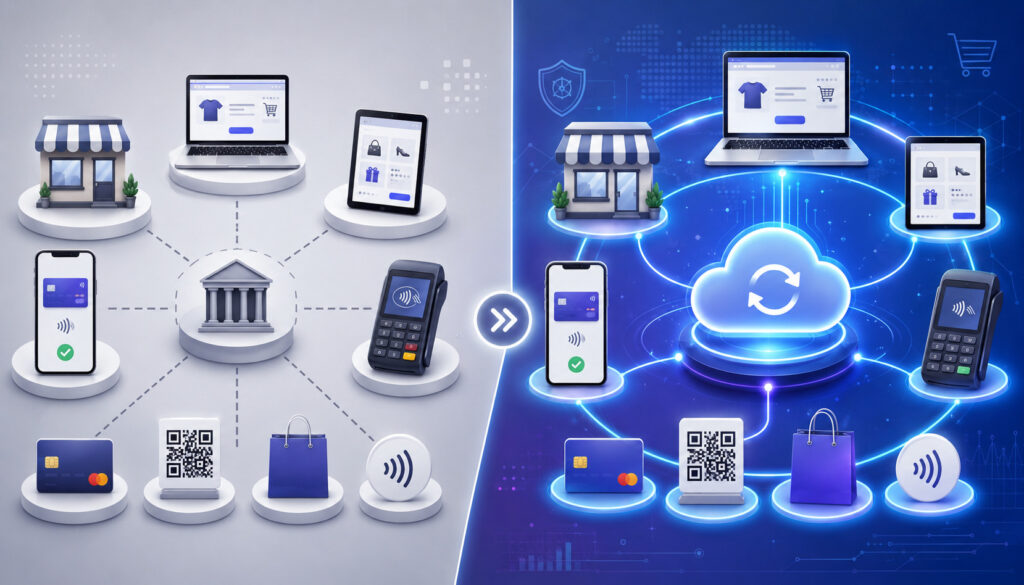
Omnichannel and multichannel payment processing are related, but they should not automatically be treated as interchangeable. Both may allow a business to accept online and in-store payments, yet they differ in how information moves between channels.
Multichannel payment processing means the business supports several payment channels. A retailer might accept cards at a counter, operate an ecommerce website, take telephone orders through a virtual terminal, and send payment links. Each channel works, but it may operate through a separate system.
An omnichannel approach focuses on integration. The business attempts to connect payment records, customer information, orders, returns, inventory, and reporting so that activities performed through one channel are visible and manageable through another.
Omnichannel vs Multichannel Payment Processing
| Comparison factor | Omnichannel approach | Multichannel approach | Why the difference matters |
| System integration | Channels exchange payment, order, and customer data | Channels may operate independently | Integration reduces duplicate work and fragmented records |
| Customer records | Profiles may be shared across channels | Separate profiles may exist in each system | Shared records can improve transaction lookup and support |
| Stored payment methods | Tokens may be available through approved connected channels | Credentials may be limited to the channel where they were saved | Customers may have a more consistent repeat-purchase experience |
| Transaction history | Purchases can be viewed in a unified record | Employees may need to search several systems | A unified history can simplify service and reporting |
| Cross-channel refunds | A purchase from one channel may be refunded through another | Refunds may have to return through the original channel | Flexibility can reduce customer and employee frustration |
| Reporting | Centralized reporting combines channel activity | Reports are downloaded separately | Unified reports can support faster analysis |
| Inventory visibility | Orders may update shared inventory records | Inventory may be tracked separately | Shared inventory can reduce overselling and fulfillment mistakes |
| Customer experience | Policies and payment interactions can remain consistent | Experiences may differ by channel | Consistency can make complex customer journeys easier to manage |
| Reconciliation | Sales, refunds, fees, and deposits can be matched centrally | Finance teams reconcile each system separately | Integration may reduce manual matching and overlooked discrepancies |
An omnichannel payment platform does not guarantee perfect integration. Two systems may claim to connect but synchronize only selected fields. A payment status may update immediately while customer notes, tax information, inventory quantities, or refund activity update later.
Businesses should therefore evaluate specific workflows instead of relying on labels. Ask whether an online transaction can be found at a physical location, whether a partial refund updates the order record, whether tokens can be used across approved channels, and whether all payment activity appears in reconciliation reports.
How Omnichannel Payments Work
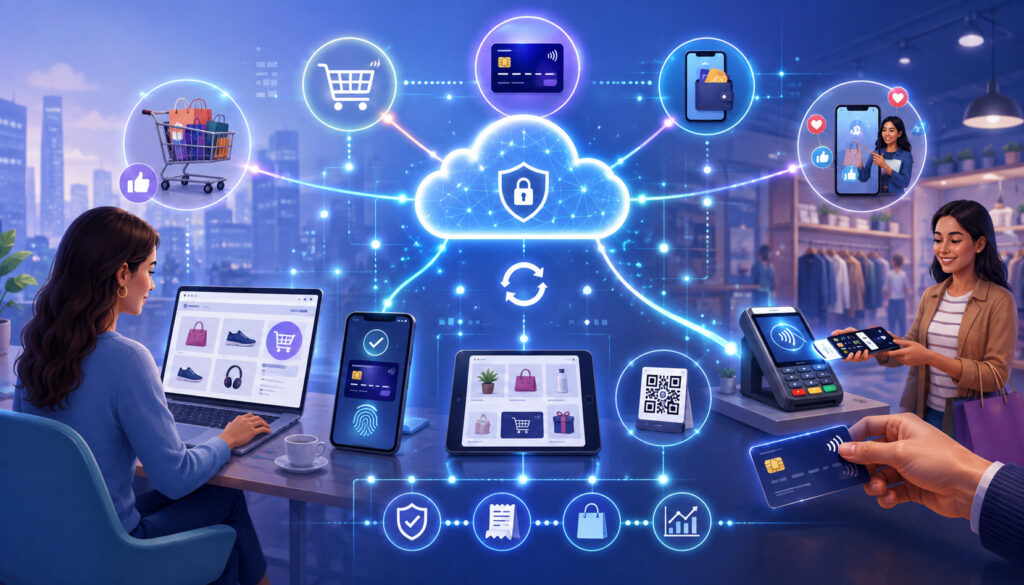
Although customers may receive an approval message within seconds, a payment moves through several technical and financial stages. Omnichannel payment solutions add another requirement: the resulting transaction data must also reach the appropriate order, customer, reporting, and accounting systems.
The broad lifecycle applies to card-present and card-not-present transactions, although authentication methods, fraud checks, data fields, costs, and dispute exposure may differ.
The Main Participants
The customer initiates the transaction by presenting a card, using a digital wallet, entering payment information, authorizing an electronic bank payment, or approving the use of a stored credential.
The business accepts the payment through a point-of-sale system, ecommerce checkout, mobile application, virtual terminal, invoice, or another interface. That interface collects the amount, order details, payment method, and other information required for authorization.
A payment gateway securely transmits transaction information from a digital checkout or keyed-payment interface to the processing environment. Gateways often support encryption, tokenization, fraud screening, recurring billing, and transaction reporting.
A payment processor routes authorization and settlement messages among the parties involved in the transaction. The processor helps transmit the request to the acquiring side, the appropriate payment network, and the institution that issued the customer’s card.
A merchant account is the account relationship that enables a business to accept card payments and receive proceeds from settled transactions.
Some arrangements combine the gateway, processing, and merchant account functions, while others use separate services. A more detailed explanation of payment processors and merchant accounts can help businesses distinguish their operational roles.
The acquiring institution supports the business’s acceptance arrangement. The issuing institution maintains the customer’s card account and decides whether to approve or decline the authorization request. The card network provides rules and communication pathways between the acquiring and issuing sides.
Finally, the business bank account receives net merchant funding. The point-of-sale system, ecommerce platform, order management application, inventory database, and accounting software record the operational and financial details associated with the sale.
The Transaction Lifecycle
An omnichannel card transaction generally moves through the following steps:
- The customer initiates a payment. The customer taps or inserts a card, enters details online, uses a digital wallet, approves a payment link, or authorizes a stored credential.
- Payment information is securely captured. A terminal, hosted payment form, application, or gateway collects the required information. Encryption protects data in transit, while tokenization may replace the account number with a substitute value.
- Authentication and fraud checks occur. The payment environment may evaluate card security information, billing data, device signals, account activity, transaction velocity, order characteristics, or additional authentication results.
- The payment is authorized or declined. The processor routes the authorization request through the appropriate network to the issuing institution. The response returns through the same general path.
- Approved transactions are captured. Capture tells the payment system to finalize an authorized transaction for clearing and settlement. Capture may happen immediately, later in a batch, or after inventory or fulfillment is confirmed.
- Clearing and settlement take place. Transaction information is exchanged, financial obligations are calculated, and funds move among the participating institutions.
- Net funds are deposited. The business receives merchant funding according to its agreement. Fees, refunds, chargebacks, reserves, and adjustments can make the deposit different from gross sales.
- Transaction data is synchronized. Payment status, order information, customer history, inventory, receipts, and accounting entries are updated across connected systems.
- The business reconciles the activity. Staff compare sales, captured transactions, settled batches, refunds, fees, chargebacks, net deposits, and accounting records.
Authorization does not mean the business has received the money. Capture, clearing, settlement, and merchant funding are separate stages. The guide to payment authorization and settlement provides additional background on these distinctions.
Omnichannel Payment Channels
An omnichannel payment system may connect many different acceptance environments. Each channel creates a different customer experience and may require distinct equipment, authentication, security controls, and operating procedures.
Omnichannel Payment Channels Compared
| Payment channel | Typical use case | Customer experience | Main operational requirement | Key security consideration |
| In-store point of sale | Counter, restaurant, or service-location purchases | Customer presents a card or wallet at checkout | Reliable terminals, trained staff, and POS integration | Device security and secure card-present acceptance |
| Ecommerce checkout | Website purchases | Customer enters or selects payment information online | Gateway integration, order management, and mobile usability | Checkout security, authentication, and fraud screening |
| Mobile payments | Events, field services, delivery, or line-busting | Customer pays through a mobile reader or application | Secure devices, connectivity, and inventory access | Device controls, application updates, and account access |
| Virtual terminal | Employee-entered telephone or remote orders | Customer provides details to an authorized employee | Restricted access and clear keyed-payment procedures | Card-not-present fraud and improper data handling |
| Payment links | Remote deposits, orders, and service payments | Customer opens a secure link and completes payment | Link tracking and connection to invoices or orders | Link authenticity, expiration, and secure delivery |
| Online invoices | Professional services and business billing | Customer reviews an invoice and pays remotely | Accurate invoice records and payment-status synchronization | Customer portal and account protection |
| Recurring billing | Memberships, subscriptions, and scheduled services | Payment is charged under an ongoing agreement | Consent records, token management, and cancellation tools | Stored-credential controls and account-update security |
| Digital wallets | In-store, online, or in-application purchases | Customer uses a wallet credential instead of manually entering a card | Compatible terminals or checkout integration | Proper wallet authentication and token handling |
| Electronic bank payments | Invoices, recurring obligations, and account-to-account payments | Customer authorizes a transfer from a bank account | Authorization records and return management | Account verification, consent, and fraud monitoring |
Physical point-of-sale terminals support card-present transactions through chip, contactless, digital wallet, and sometimes magnetic-stripe entry. Mobile point-of-sale devices bring similar acceptance functions to a smartphone, tablet, delivery route, pop-up location, or service appointment.
Ecommerce checkout supports browser-based purchases, while mobile applications may allow customers to pay, save credentials, manage orders, or maintain subscriptions. Contactless payments and digital wallets can work in physical and digital environments when the relevant devices and checkout systems are compatible.
Virtual terminals allow authorized employees to key in payment details through a secure interface. Telephone payments use a similar process, but businesses need procedures that prevent employees from writing down, messaging, or improperly storing card information.
Payment links and online invoicing allow customers to pay remotely without giving credentials directly to an employee. Social commerce may direct customers from a social interaction to a secure checkout or embedded purchasing flow.
Subscription and recurring-payment systems submit scheduled transactions using stored credentials and customer authorization. Electronic bank payments move funds through account-based rails rather than card networks.
Curbside, pickup, and delivery transactions often combine channels. A customer may order through an application, pay online, modify the order by telephone, and receive the product at a physical location. The value of unified payment processing becomes especially visible when all those events update one order record.
Benefits and Limitations of Omnichannel Payment Processing
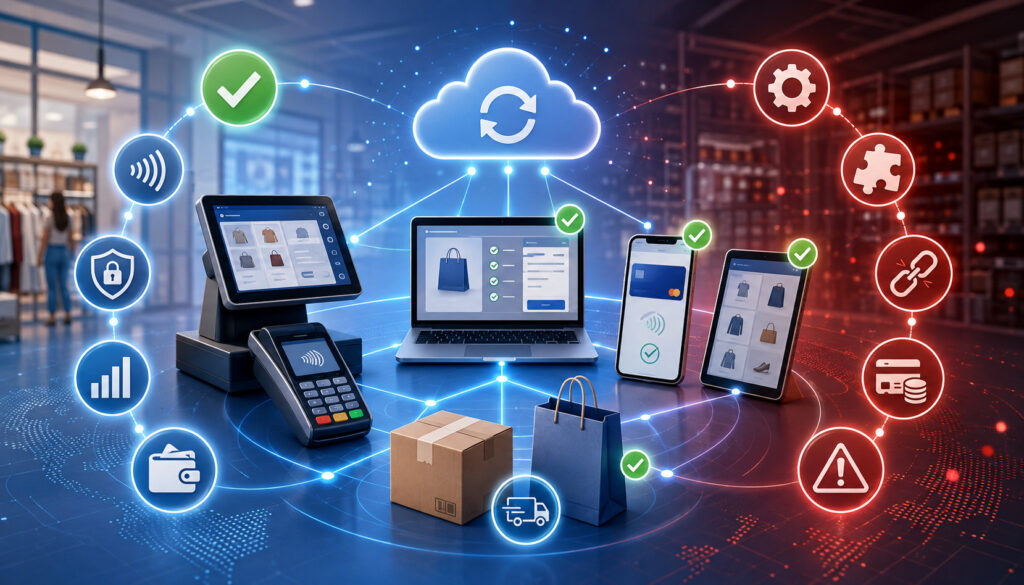
The potential benefits of omnichannel payment processing come from connection rather than channel count. A business may gain more value from three well-integrated channels than from ten disconnected payment methods.
A consistent checkout experience can reduce confusion as customers move between devices and locations. Unified transaction records can help employees locate purchases, answer questions, confirm payment status, and process eligible refunds.
Centralized reporting gives finance and operations teams a broader view of sales across point-of-sale terminals, ecommerce checkout, mobile payments, invoices, and subscriptions. When transaction identifiers and order numbers are synchronized correctly, reconciliation may require less manual matching.
Other potential advantages include:
- Easier cross-channel refunds and returns
- Greater customer convenience
- Better visibility into payment activity
- More consistent receipts and policies
- Connected order and inventory data
- Flexible payment options
- Improved subscription management
- Easier addition of new locations or channels
- More complete fraud and chargeback records
These benefits are not automatic. Integrated payment processing may require new hardware, software subscriptions, development work, data migration, employee training, and ongoing technical support. Connecting older systems can be expensive or impractical.
A larger connected environment can also increase operational dependency. An integration failure may affect payments, inventory, fulfillment, customer records, and reporting simultaneously. Businesses need monitoring, access controls, backup procedures, and clear ownership of each integration.
Security responsibilities remain significant. Tokenization and hosted payment tools can reduce exposure, but they do not remove the need for secure devices, employee training, network protection, account controls, vendor oversight, and incident-response planning.
Creating a Consistent Customer Experience
A connected payment experience allows customers to move between channels without encountering avoidable inconsistencies. They may expect the business to recognize the same order, payment, account, receipt, refund policy, and support history regardless of where the interaction occurs.
Common customer expectations include the ability to:
- Buy online and return an eligible item at a physical location
- Begin a purchase on one device and finish on another
- Use an authorized saved payment method across connected channels
- Receive receipts in a consistent format
- Pay invoices remotely through a secure portal or link
- Review and manage subscriptions online
- Receive consistent refund and support information
- View accurate order status across pickup, delivery, and shipping workflows
Consistency does not require every channel to look identical. A countertop terminal, mobile application, invoice portal, and ecommerce checkout serve different purposes. The important point is that policies, payment status, order information, and customer communications do not contradict one another.
Businesses should decide which cross-channel journeys they intend to support. For example, can an employee add an item to an online pickup order at collection? Can the customer use a different payment method for the added amount? Can a partial return be credited correctly? Will the inventory record and receipt update?
These questions are operational as well as technical. Even a capable omnichannel payment platform can produce inconsistent experiences when employees follow different refund rules, departments use separate customer identifiers, or one location does not receive updated order information.
Customer communication should also reflect processing realities. A refund may be initiated immediately but appear later in the customer’s account. A payment authorization may be visible as pending before settlement. Clear receipts and support messages should distinguish between initiation, approval, processing, and completion without promising a universal timeline.
Unified Customer and Transaction Data
Connected customer and transaction data can improve support, reporting, refund handling, subscription management, and order lookup. An employee may be able to search by order number, receipt, customer account, transaction identifier, email address, or location.
A unified transaction history can show where a purchase began, how it was paid, whether it was captured and settled, which items were fulfilled, whether a refund occurred, and whether a dispute was later filed. This information is valuable when customers contact a different location or department from the one that handled the original sale.
However, collecting more data does not automatically create a better system. Records must be accurate, relevant, protected, and governed by clear retention practices. Businesses should avoid collecting information merely because a system makes it possible.
Duplicate customer records are a common challenge. A person may check out as a guest, create an account later, use different email addresses, or make purchases at several locations. Automatically merging records can create privacy and accuracy problems, while leaving every duplicate unresolved can fragment transaction history.
Role-based access should limit employees to the information required for their work. A cashier may need to confirm a purchase and initiate an approved return but may not need access to complete customer profiles, detailed dispute files, or system configuration.
Businesses should address:
- Customer consent and notice
- Data accuracy and correction procedures
- Duplicate-record management
- Role-based permissions
- Secure storage and transmission
- Retention and deletion schedules
- Access logging
- Third-party data sharing
- Incident-response responsibilities
General educational information is not a substitute for legal, privacy, accounting, or compliance advice. Requirements vary according to the information collected, the business relationship, the transaction type, and applicable rules.
Tokenization and Stored Credentials
Tokenization replaces sensitive payment information with a substitute value called a token. The token can be used within an approved payment environment without repeatedly exposing the original account number to the business’s applications or employees.
For example, an ecommerce customer may authorize the business to save a payment method. Instead of storing the raw card number in the commerce platform, the payment environment stores the sensitive credential in a protected system and returns a token. The business uses that token when the customer chooses the saved method later.
Tokens may support repeat purchases, subscriptions, account-based billing, and selected cross-channel payments. Whether a token created online can be used at a physical location depends on provider architecture, token scope, merchant configuration, customer authorization, and applicable payment rules.
Tokenization is not the same as encryption. Encryption transforms data so that an authorized party with the correct key can restore it. Tokenization substitutes a different value and keeps the mapping within a protected token system. Many payment environments use both.
Customer authorization remains essential. Businesses should clearly explain when a credential will be saved, how it will be used, whether charges will recur, and how the customer can update or remove it.
Stored-credential management also needs procedures for expired cards, account updates, declined recurring payments, cancellations, refunds, and access control. Businesses evaluating an omnichannel payment solution should ask whether tokens can be exported or transferred if the commercial relationship ends. Limited data portability can make future migration difficult.
Tokenization can reduce the exposure of payment account data, but it does not make a system immune to compromise. Attackers may still target customer accounts, administrative access, checkout scripts, application programming interfaces, devices, or token-use permissions.
The official tokenization guidance explains that tokenization can affect security scope but does not replace applicable payment-data responsibilities.
Card-Present and Card-Not-Present Payments
Card-present transactions occur when a payment credential is read through an approved physical device while the customer is present. Examples include inserting a chip card, tapping a contactless card, or using a digital wallet at a point-of-sale terminal.
Card-not-present transactions occur when the credential is not physically read by the business’s terminal. Ecommerce purchases, telephone orders, virtual-terminal payments, payment links, online invoices, and most recurring charges fall into this category.
Card-present transactions can include chip or contactless data that helps authenticate the credential and confirm how it was presented. Card-not-present environments rely more heavily on billing information, card security results, customer accounts, device signals, secure authentication, transaction history, and fraud-screening rules.
The distinction can affect:
- Authentication methods
- Processing costs
- Fraud exposure
- Chargeback risk
- Evidence available during disputes
- Checkout design
- Employee procedures
- Customer convenience
Card-not-present payments are not inherently improper or unsafe. They simply present different risks because the business cannot physically read the card through a terminal. A familiar customer account can still be compromised, and a correct billing address does not prove that the buyer is authorized.
Card-present transactions also carry risks. Terminals can be tampered with, employee accounts can be misused, refunds can be manipulated, and stolen cards may still be presented. Security controls should reflect how the transaction occurs rather than assuming one channel is risk-free.
Omnichannel merchant payments require the business to preserve the correct transaction classification as data moves through connected systems.
A telephone order entered into a physical POS interface should not accidentally be treated as a chip-read transaction. Accurate entry methods, stored-credential indicators, and transaction records support authorization, reporting, fee assessment, and dispute handling.
Omnichannel Payment Security and Fraud Prevention
Connecting payment channels expands the number of devices, applications, users, networks, and integrations that must be managed. Security should therefore be designed across the full environment rather than applied only to the checkout screen.
Encryption protects sensitive information during transmission and, where appropriate, storage. Tokenization reduces the need for business systems to retain raw account numbers. Secure authentication helps confirm customers and employees before allowing high-risk actions.
Payment Card Industry Data Security Standard responsibilities depend on how payment information is stored, processed, or transmitted. Outsourcing payment functions does not automatically remove every merchant responsibility. The payment security standard provides baseline technical and operational requirements for protecting payment account data.
A layered security program may include:
- Multifactor authentication for administrative and remote access
- Role-based permissions
- Unique employee accounts
- Secure terminal and mobile-device configuration
- Network segmentation and protection
- Prompt software and security updates
- Fraud screening and transaction monitoring
- Secure customer portals
- Access and activity logging
- Tested incident-response procedures
- Vendor and integration oversight
- Employee security training
No payment system is completely secure or fraud-proof. Controls reduce particular risks, but criminals adapt their tactics, employees make mistakes, and legitimate transactions can resemble fraud.
Fraud Risks Differ by Channel
In-store fraud may involve stolen cards, terminal tampering, refund abuse, employee misconduct, or unusual transaction patterns. Ecommerce fraud may involve account takeover, stolen credentials, automated card testing, reshipping schemes, or false non-delivery claims.
Mobile-payment risks include lost devices, insecure applications, weak employee authentication, and unsafe network use. Telephone and virtual-terminal transactions depend heavily on employee procedures because staff manually handle customer-supplied information.
Invoice and payment-link fraud can involve altered payment instructions, fake links, impersonation, or compromised customer accounts. Subscription fraud may involve unauthorized enrollment, continued billing after cancellation, account takeover, or disputes caused by unclear billing descriptions.
Businesses should use channel-appropriate controls such as:
- Risk-based authentication
- Velocity limits
- Suspicious-order review
- Account-login protection
- Device and location signals
- Refund-approval controls
- Employee escalation procedures
- Delivery and service documentation
- Clear billing descriptors
- Customer notifications
Applying identical fraud rules to every channel can create problems. A rule suitable for a high-value remote order may add unnecessary friction to a low-risk in-person purchase. Controls should reflect transaction value, customer history, fulfillment risk, payment method, and available authentication data.
The guidance on collecting only necessary data and protecting it appropriately is also relevant when designing customer accounts and payment integrations.
Cross-Channel Refunds and Returns
Cross-channel refunds are a central test of whether an omnichannel payment system is genuinely connected. A business may allow a customer to buy online and return at a physical location, but the process requires more than finding the customer’s name.
Employees need to locate the original transaction, confirm the items and amount, review the order status, apply the correct return policy, and identify the original payment method. The system must also prevent duplicate refunds and update inventory, order, customer, and accounting records.
Whenever possible, a refund should be returned through the original payment method and transaction reference. This helps maintain an auditable connection between the sale and refund. It can also reduce the risk of sending funds to an unrelated account.
Partial refunds require additional care. The system should show which products, taxes, shipping amounts, discounts, or service charges are being returned. Employees should be able to see prior refunds so the total does not exceed the eligible amount.
Customers should receive a receipt or confirmation that identifies the returned items, refund amount, and date of initiation. Communication should explain that the credit may not appear immediately and that posting depends on the payment method and participating institutions.
Return fraud can involve fake receipts, stolen merchandise, duplicate refunds, policy abuse, or attempts to receive cash for a card purchase. Controls may include order verification, employee permissions, manager approval for exceptions, refund limits, and review of unusual return patterns.
A chargeback is different from a merchant-issued refund. A refund is initiated by the business, while a chargeback is initiated through the customer’s issuing institution. Connected records should distinguish refunds, voids, reversals, and disputes so finance teams do not treat them as the same event.
Recurring and Subscription Payments
Recurring billing allows a business to charge a customer according to an agreed schedule. It may support memberships, service plans, installment arrangements, maintenance agreements, ongoing deliveries, or software access.
The business should obtain clear customer consent before storing and using a payment credential. The agreement should explain the amount or calculation method, billing frequency, trial or introductory terms, cancellation procedure, and how changes will be communicated.
A token is commonly used instead of storing the raw card number in the billing application. The recurring system submits scheduled transactions using the token and the appropriate stored-credential information.
Operational procedures should address:
- Upcoming billing reminders where appropriate
- Changes in price or frequency
- Expired or replaced payment methods
- Failed-payment notifications
- Payment retry rules
- Account-update options
- Cancellation requests
- Credits and refunds
- Record retention
- Customer support escalation
Repeatedly retrying a failed payment without a controlled strategy can create fees, customer dissatisfaction, and dispute risk. Retry schedules should reflect the payment arrangement, applicable rules, customer communication, and the reason for the decline.
Subscription management should be connected to access or fulfillment systems. If a customer cancels, the billing status and service status should update consistently. If payment fails, the business needs a defined process for reminders, grace periods, account suspension, and final cancellation.
Customers should have a secure method to review billing status, update payment details, and submit cancellation requests. Administrative access to subscription records should be restricted and logged.
Reporting and Payment Reconciliation
Centralized reporting is one of the most practical reasons to implement unified payment processing. However, a dashboard is only useful when the underlying data is complete, timely, and consistently identified.
Businesses should compare activity from:
- In-store sales
- Ecommerce orders
- Mobile transactions
- Virtual terminals
- Invoices and payment links
- Recurring billing
- Processor reports
- Gateway reports
- Refunds and voids
- Chargebacks
- Fees and adjustments
- Net deposits
- Bank statements
- Accounting records
A sale may appear in an order system before it is captured. It may appear in a gateway report before the batch settles. The funded deposit may be lower than gross sales because of fees, refunds, chargebacks, reserves, or adjustments. The credit card transaction lifecycle provides useful context for tracing transactions from initiation through funding.
Daily Reconciliation
Daily procedures should confirm that completed sales were captured, expected batches closed, refunds were authorized, and deposits or pending funding correspond to processor reports. Teams should investigate duplicate transactions, missing orders, failed integrations, and unexplained differences promptly.
Daily review is especially important during a phased launch because it can reveal mapping errors before they affect a large number of records.
Weekly Reconciliation
Weekly review can examine channel totals, refund activity, chargebacks, failed recurring payments, transaction exceptions, and unresolved deposit differences. Finance and operations teams should compare notes because a financial discrepancy may originate from an inventory, fulfillment, or customer-service action.
The business should maintain an exception log showing the amount, affected channel, likely cause, assigned owner, and resolution.
Monthly Reconciliation
Monthly reconciliation should compare processor statements, bank statements, accounting records, fee categories, chargebacks, reserves, and outstanding exceptions. Teams should also review whether refunds, fees, and net deposits were posted to the correct accounting periods and accounts.
Monthly merchant statements can contain multiple fee and adjustment categories. The guide to merchant account fundamentals explains how the acceptance relationship connects to processing and funding.
Inventory, Order, and Accounting Integrations
Omnichannel payment processing often supports a broader unified commerce strategy. Payments, orders, inventory, customer records, fulfillment, and accounting systems exchange information so that a transaction creates the appropriate operational updates.
When an ecommerce order is paid, the system may reduce available inventory, create a fulfillment task, record tax and shipping information, update the customer history, and post a sales entry. A physical return may reverse part of that activity and make the item available for resale after inspection.
Connected systems may reduce:
- Overselling
- Duplicate orders
- Fulfillment errors
- Manual data entry
- Inconsistent sales reports
- Missing refund records
- Delayed accounting updates
- Fragmented customer histories
Integration does not eliminate errors. Synchronization delays can allow two channels to sell the final available item. Incorrect product identifiers can update the wrong inventory record. A failed connection can leave a payment approved while the order remains incomplete.
Businesses need procedures for detecting and correcting mismatches. Monitoring should identify failed messages, delayed updates, duplicate submissions, and records that cannot be matched. Employees should know whether to retry, correct, reverse, or escalate an affected transaction.
Product, tax, discount, location, and customer identifiers should be mapped consistently before launch. Test data should include bundled products, partial fulfillment, split payments, partial refunds, canceled orders, back orders, pickup changes, and subscription renewals.
Accounting integrations also require careful configuration. Gross sales, fees, refunds, chargebacks, reserves, and deposits may need separate entries. Posting only the net bank deposit as revenue can obscure processing costs and refund activity.
Omnichannel Payment Costs
The cost of an omnichannel payment system includes more than the advertised transaction rate. Businesses should compare the total operating cost of accepting, managing, securing, supporting, and reconciling payments across all intended channels.
Potential costs include:
- Transaction processing
- Interchange and network charges
- Gateway services
- Point-of-sale terminals and mobile readers
- Software subscriptions
- Ecommerce or application integrations
- Tokenization and credential-storage services
- Fraud-screening tools
- Chargeback fees and dispute-management labor
- Employee training
- Technical support
- Data migration
- Custom development
- Hardware replacement
- Security assessments
- Contract termination or transition costs
Transaction costs can vary by payment method, card type, entry method, data quality, merchant category, risk profile, and agreement. Card-present and card-not-present transactions may be categorized differently. Electronic bank payments follow different rules and pricing structures from card payments.
A low processing markup may be offset by gateway fees, software costs, per-location charges, token fees, support plans, hardware leases, or required integrations. Conversely, a system with higher visible software costs may reduce manual reconciliation or duplicate data entry. Businesses need to evaluate both direct expenses and operational workload.
Contract terms matter. Review minimum commitments, equipment ownership, renewal provisions, data-access rights, integration charges, funding rules, reserve provisions, support responsibilities, and exit procedures.
Costs, settlement schedules, integrations, and security responsibilities vary. Businesses should obtain complete written information and seek appropriate financial, legal, tax, accounting, or compliance advice when decisions extend beyond general operational evaluation.
Implementation Challenges
Omnichannel payment projects combine technology, data, financial operations, customer service, and employee behavior. Problems can arise even when each individual product functions correctly.
Legacy systems may not support modern application interfaces or real-time synchronization. Replacing them can be disruptive, while connecting them through custom software can create maintenance obligations.
Data migration may produce missing fields, duplicate customer records, invalid tokens, incorrect order references, or mismatched product identifiers. Payment credentials may not be portable between token systems, requiring customers to enter payment information again.
Other common challenges include:
- Integration errors
- Inconsistent refund policies
- Employee training gaps
- Security weaknesses
- Vendor dependency
- Technical downtime
- Data-portability limits
- Inventory synchronization delays
- Customer resistance to new workflows
- Conflicting reports
- Unclear system ownership
An omnichannel payment platform may also create concentration risk. If one account, integration, or service disruption affects every channel, the operational impact may be wider than in a disconnected environment.
Clear ownership is essential. The business should identify who manages payment configuration, user access, fraud rules, refunds, token settings, integration monitoring, reconciliation, vendor communication, and incident response.
Phased implementation can reduce risk. A business might first unify reporting, then connect customer and order records, and later enable cross-channel refunds or stored credentials. Each phase should have defined success criteria, testing procedures, and rollback options.
How to Build an Omnichannel Payment Strategy
A useful strategy begins with customer and operational requirements rather than a list of fashionable payment methods. The objective is to connect the channels that customers actually use and that the business can manage securely.
- Map current sales and payment channels. Document terminals, websites, applications, virtual terminals, invoices, payment links, subscriptions, and electronic bank payments.
- Document the customer journey. Identify how customers discover, purchase, collect, modify, return, and request support for an order.
- Identify disconnected systems. Note where employees re-enter information, download spreadsheets, search separate dashboards, or manually match deposits.
- Review customer payment preferences. Use transaction records and support feedback rather than assumptions. Adding an unused method creates cost and complexity without clear value.
- Define required cross-channel experiences. Specify whether customers should be able to return online orders in a store, reuse stored methods, manage subscriptions, or receive unified receipts.
- Evaluate payment methods and risks. Consider card-present, card-not-present, account-based, recurring, mobile, and remote transactions separately.
- Review integration requirements. Map the payment gateway, processor, merchant account, POS, ecommerce, customer, inventory, order, fulfillment, and accounting systems.
- Compare total costs and contract terms. Include processing, software, hardware, integrations, fraud tools, support, training, and exit costs.
- Establish security and privacy controls. Define access, authentication, data collection, tokenization, retention, monitoring, incident response, and vendor oversight.
- Standardize refunds and customer communication. Create consistent rules for receipts, refund timing explanations, exceptions, and escalation.
- Train employees. Provide role-specific instruction for checkout, returns, telephone payments, security, downtime, and reconciliation.
- Test every workflow. Test approvals, declines, duplicate submissions, partial capture, partial refunds, subscriptions, inventory changes, and failed integrations.
- Launch in phases. Limit the initial scope, monitor results, and preserve a practical rollback process.
- Monitor results and refine the system. Review transaction exceptions, support contacts, reconciliation differences, fraud outcomes, employee feedback, and customer problems.
Common Mistakes to Avoid
The first mistake is confusing multichannel acceptance with omnichannel integration. Accepting payments through several interfaces does not mean customer, order, refund, inventory, and reporting data are connected.
Adding unnecessary payment methods is another common problem. Each method may require configuration, reporting, support, fraud controls, employee instruction, and reconciliation. Businesses should add a method because it supports a defined customer or operational need.
Other mistakes include:
- Choosing systems before mapping required workflows
- Using incompatible applications
- Ignoring mobile checkout usability
- Applying identical fraud rules to every channel
- Collecting unnecessary customer data
- Using inconsistent refund policies
- Failing to synchronize transaction records
- Skipping employee training
- Neglecting daily reconciliation
- Storing payment information improperly
- Launching without end-to-end testing
- Operating without a downtime plan
Businesses should also avoid assuming that an integration is complete because it passed one successful purchase. Testing should include declines, timeouts, partial refunds, canceled orders, duplicate clicks, split fulfillment, subscription changes, and system recovery.
Poor exception handling can be more damaging than an obvious failure. When a payment is approved but an order is not created, employees may submit the transaction again and create a duplicate charge. Systems should make uncertain transaction states visible and provide a controlled investigation process.
Finally, do not rely on one team to design the entire experience. Payment decisions affect finance, customer service, fulfillment, security, accounting, and operations. Each group may identify risks that are invisible from another department’s perspective.
Preparing for Payment System Downtime
Downtime can result from gateway disruptions, terminal failures, internet outages, software errors, integration problems, account-access issues, or power loss. A connected system should have documented procedures for both payment interruption and data synchronization failure.
The downtime plan should identify which transactions can safely continue, which must pause, and who can authorize exceptions. Employees should know how to communicate with customers without promising a restoration time they cannot confirm.
Secure backup procedures may include approved alternative devices, redundant connectivity, access to a properly configured secondary checkout, or delayed order fulfillment until payment status is verified. Businesses should not write down complete card information, store it in spreadsheets, or send it through unsecured messages.
The plan should define:
- Employee responsibilities
- Internal escalation contacts
- Customer communication
- Approved backup workflows
- Transaction-status verification
- Duplicate-payment prevention
- Data-recovery procedures
- Post-outage reconciliation
- Incident documentation
- Security review
When service returns, employees should not automatically resubmit every failed or uncertain transaction. Some requests may have been authorized even though the checkout did not receive a clear response. Teams should check gateway or processor records before retrying.
Post-outage reconciliation should compare orders, authorization records, captured transactions, refunds, inventory changes, and deposits. The business should document the cause, impact, resolution, and any improvements required.
If an outage involves unauthorized access or exposed information, the incident-response process should include securing affected systems, preserving evidence, consulting appropriate specialists, and determining notification obligations. The data-breach response guidance for businesses outlines general steps for securing operations and evaluating response duties.
Frequently Asked Questions
What is omnichannel payment processing?
Omnichannel payment processing is an integrated method of accepting and managing payments across physical and digital channels. It can connect transaction records with customer profiles, orders, refunds, inventory, subscriptions, reporting, and accounting systems.
The purpose is to preserve continuity when a customer moves between channels. An online purchase may be visible at a physical location, a remote invoice payment may update the customer account, and a cross-channel refund may update the original order and financial records.
The exact capabilities depend on the integrations involved. A shared payment dashboard may centralize reporting without supporting shared customer records, stored credentials, inventory synchronization, or cross-channel returns.
How is omnichannel different from multichannel payment processing?
Multichannel payment processing means a business accepts payments through several channels. Those channels may include a store, website, mobile reader, virtual terminal, and invoice portal, but each can operate independently.
An omnichannel approach connects the channels. Payment, customer, order, refund, and reporting information can move between systems so employees and customers receive a more consistent experience.
The distinction matters because simply adding channels can increase fragmentation. Businesses should evaluate specific capabilities rather than relying on the terminology used in product descriptions.
Which payment channels can be connected?
Businesses may connect physical point-of-sale terminals, ecommerce checkout, mobile point of sale, mobile applications, contactless payments, digital wallets, virtual terminals, telephone payments, payment links, online invoices, recurring billing, social commerce, and electronic bank payments.
Curbside, pickup, and delivery workflows may involve several of these channels at once. The number of connected channels depends on the payment architecture, commerce platform, integrations, token system, and operational requirements.
Not every available channel needs to be implemented. The best scope is based on customer needs, staff capacity, risk, cost, and the business’s ability to support each workflow.
Can customers use the same stored payment method across channels?
Potentially, but cross-channel use is not automatic. The credential generally must be represented by a token that is available within the connected payment environment, and the customer must have authorized the relevant use.
Token scope, provider architecture, merchant configuration, transaction type, and applicable payment rules can limit where a stored method works. A token created by one gateway or merchant account may not be portable to another system.
Businesses should test each intended scenario and clearly explain when a payment method will be saved, where it can be used, and how the customer can update or remove it.
How do cross-channel refunds work?
The employee or customer-service system locates the original transaction and verifies the order, eligible items, amount paid, prior refunds, and original payment method. The refund is then submitted through the connected payment environment and recorded against the original sale.
A complete workflow should update the payment record, order, inventory, customer history, receipt, and accounting data. Partial refunds should show which items and amounts were returned.
Refund timing varies according to the payment method and participating institutions. Customer communications should distinguish between the date the business initiated the refund and the date the credit becomes visible.
What role does tokenization play?
Tokenization replaces sensitive payment information with a substitute value. The business can use the token for permitted transactions without repeatedly exposing the underlying account number to employees or connected applications.
Tokens can support saved payment methods, recurring billing, repeat purchases, and some cross-channel experiences. They may also reduce the amount of sensitive payment information handled directly by business systems.
Tokenization does not eliminate every security or compliance responsibility. Businesses still need secure authentication, access controls, monitoring, device protection, customer authorization, and incident-response procedures.
Are omnichannel payments more difficult to secure?
They can be more complex because the environment includes more devices, users, applications, integrations, and transaction types. A physical terminal, ecommerce page, mobile application, virtual terminal, and subscription system do not face identical risks.
The business should use layered controls such as encryption, tokenization, multifactor authentication, role-based access, device management, network protection, fraud monitoring, secure portals, and employee training.
Integration can also improve visibility when fraud data and transaction history are centralized. Security outcomes depend on architecture, configuration, monitoring, staff behavior, vendor oversight, and response procedures rather than the omnichannel label alone.
How are omnichannel transactions reconciled?
Reconciliation compares operational sales records with gateway reports, processor activity, refunds, chargebacks, fees, net deposits, bank statements, and accounting entries. Shared transaction and order identifiers make matching easier.
Daily procedures should identify missing captures, failed batches, duplicates, unexplained refunds, and deposit differences. Weekly and monthly procedures can review fee categories, chargebacks, unresolved exceptions, subscription failures, and accounting accuracy.
A centralized report may reduce manual work, but businesses should verify that every channel is included and that synchronization delays are understood.
Can payment systems connect with inventory and accounting software?
Many payment environments can exchange information with inventory, order-management, fulfillment, customer, and accounting systems. A completed sale may reduce available stock, create an order, update customer history, and generate accounting entries.
The quality of the result depends on system compatibility, data mapping, synchronization timing, and exception handling. Incorrect product identifiers or failed integrations can create inventory and accounting mismatches.
Businesses should test normal transactions as well as partial refunds, cancellations, split shipments, failed payments, duplicate requests, and delayed synchronization.
What are the main implementation challenges?
Common challenges include legacy software, data migration, incompatible integrations, duplicate customer records, token portability, inconsistent refund policies, security gaps, employee training, technical downtime, and inventory synchronization.
The project may also create dependency on a provider or integration partner. Businesses should understand data access, contract terms, support responsibilities, backup options, and exit procedures.
A phased launch with documented workflows, realistic test cases, monitoring, and reconciliation can reduce implementation risk.
How should businesses compare omnichannel payment systems?
Begin with required workflows rather than feature lists. Determine which channels must connect, whether stored credentials need to work across channels, how refunds will operate, which systems require real-time updates, and what reports finance teams need.
Compare total operating costs, contract terms, payment methods, integration capabilities, token portability, security responsibilities, fraud controls, support, data access, downtime procedures, and migration requirements.
Businesses should request demonstrations based on their own scenarios. A provider should be able to show how a transaction, refund, subscription update, integration failure, and reconciliation exception would be handled.
Conclusion
Omnichannel payment processing connects payment acceptance, customer experiences, transaction records, refunds, reporting, and business systems across multiple physical and digital channels.
It differs from basic multichannel payment acceptance because the objective is not merely to offer several ways to pay, but to make those channels exchange useful and accurate information.
A successful implementation depends on compatible technology, secure data handling, standardized procedures, reliable integrations, employee training, clear customer communication, and regular payment reconciliation.
Businesses should define the cross-channel experiences they need, evaluate risks and costs by channel, test complete workflows, and introduce changes in manageable phases.
No single configuration is appropriate for every organization. Costs, funding arrangements, integration capabilities, contract terms, and security responsibilities vary. A careful strategy focuses on practical customer journeys and operational controls rather than broad claims about having a unified system.