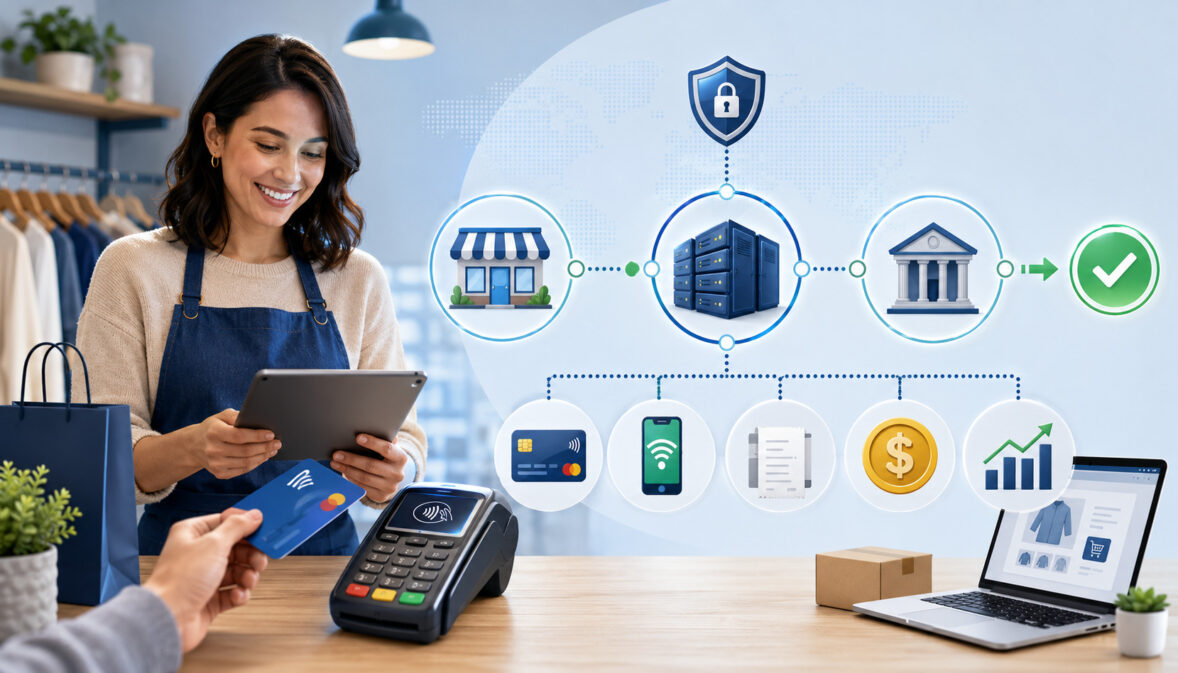
When business owners first start accepting card payments, the terminology can feel confusing. You may hear words like merchant account, payment processor, payment gateway, acquiring bank, settlement, funding, PCI compliance, interchange, and chargebacks all used in the same conversation. Each term matters, but they do not all mean the same thing.
This guide breaks down merchant accounts explained for beginners in a practical way. The goal is to help you understand what a merchant account is, how it supports card payments, how money moves from a customer’s card to your business, what fees may apply, and what to review before choosing a setup.
A merchant account helps a business accept credit card and debit card payments. It is not the same as a regular business bank account, and it is not the same as a payment gateway, card reader, POS system, or payment app. Instead, it is part of the larger payment processing system that allows card transactions to be authorized, captured, cleared, settled, and deposited.
This article is for general educational purposes. Merchant account requirements, approval rules, fees, funding timelines, security responsibilities, and available features can vary by provider, acquiring bank, business model, transaction type, industry, and risk profile.
What Is a Merchant Account?
A merchant account is a type of payment processing account that allows a business to accept card payments from customers. When someone pays with a credit card or debit card, the funds do not usually move directly from the customer’s card to the business bank account instantly.
Instead, the payment moves through a series of steps involving the merchant, payment processor, acquiring bank, card networks, issuing bank, and sometimes a payment gateway.
The merchant account meaning is easiest to understand this way: it is an account relationship that temporarily holds or routes card payment funds after a transaction is approved and before the money is deposited into your business bank account. It helps organize the risk, compliance, settlement, and funding side of card payments.
A merchant account is especially important for businesses that want to accept card payments in a structured way. Retail shops, restaurants, ecommerce sellers, mobile service providers, professional offices, subscription businesses, freelancers, and B2B sellers may all use merchant accounts depending on how they accept payments.
A business merchant account may support in-person payments through a POS system, card reader, or terminal. An online merchant account may support ecommerce checkout, invoices, recurring billing, or virtual terminal payments. Some businesses need both in-person and online payment options.
A merchant account is also different from the account where your business keeps its operating cash. Your business bank account is where deposits ultimately arrive. Your merchant account is part of the card payment acceptance and settlement process.
Merchant Account Basics for Beginners
| Term | What It Means | Why It Matters | Beginner Tip |
| Merchant account | An account relationship that supports card payment acceptance and settlement | Helps businesses receive funds from card transactions | Know how it connects to your business bank account |
| Payment processor | The company or system that routes transaction data between parties | Helps authorize, capture, clear, and settle payments | Compare processing rates, support, and integrations |
| Payment gateway | Technology that securely sends online payment data | Needed for many ecommerce checkout and online payment forms | Check compatibility with your website or shopping cart |
| Acquiring bank | The bank or financial institution that works on the merchant side | Supports the merchant’s ability to accept card payments | Often involved in underwriting and risk review |
| Issuing bank | The customer’s card-issuing bank | Approves or declines the transaction | Declines can happen for many reasons outside your control |
| Card networks | Networks that connect issuing banks, acquiring banks, processors, and merchants | Set many rules and assessment structures | Understand that not all fees come from your processor |
| Settlement | The process of moving approved transaction funds through the payment system | Determines how payments become deposits | Review funding timing and deposit reports |
| Chargeback | A cardholder dispute that may reverse a payment | Can affect costs, cash flow, and risk profile | Keep records, policies, receipts, and proof of fulfillment |
Why Businesses Need Merchant Accounts
Businesses use merchant accounts because customers expect convenient ways to pay. Card payments, online payments, mobile payments, contactless payments, invoices, and recurring billing are common across many industries. A merchant account helps connect those payment methods to the banking and card network systems that move money.
For a retail merchant account, the customer may tap, insert, or swipe a card at a POS system. For an ecommerce merchant account, the customer may enter card information at an ecommerce checkout.
For a service business, the customer may pay through an invoice link, card reader, or virtual terminal. In each case, the merchant account supports the business side of accepting, processing, and receiving funds from the transaction.
A merchant account also helps separate personal payments from business payments. This is important for recordkeeping, accounting, tax organization, reconciliation, and professionalism. While a business bank account stores business funds, the merchant services account helps manage the card payment flow before deposits reach that bank account.
Businesses may also need merchant accounts because card transactions include risk. A customer can dispute a payment. A card may be stolen. An online order may be fraudulent. A refund may be requested.
A transaction may need to be voided before settlement. Merchant account providers and acquiring banks review these risks before approving an account and may monitor transaction activity after approval.
For decision-makers, a merchant account is not just a technical detail. It can affect customer experience, cash flow, payment reporting, software integrations, fraud prevention, and operating costs.
Practical Examples of Merchant Account Use
A physical shop may use a retail merchant account with a POS system, barcode scanner, receipt printer, and card reader. The merchant account helps the store accept debit card processing and credit card processing at checkout, then receive deposits after settlement.
A restaurant may use a merchant account connected to table-service POS software, handheld terminals, tip adjustment tools, and batch processing. This setup can support card payments, tip capture, refunds, and daily settlement reports.
An ecommerce seller may use an online merchant account with a payment gateway, ecommerce checkout, fraud filters, tokenization, and shipping confirmation records. This setup helps the seller process online payments while reducing exposure to card-not-present fraud.
A mobile merchant may use a card reader attached to a phone or tablet. A home repair provider, market vendor, consultant, or event seller can accept payments away from a fixed checkout counter.
A subscription business may use recurring billing tools connected to a merchant account. This supports scheduled payments, stored payment tokens, customer updates, failed payment handling, and reporting for recurring revenue.
How Merchant Accounts Work in Payment Processing
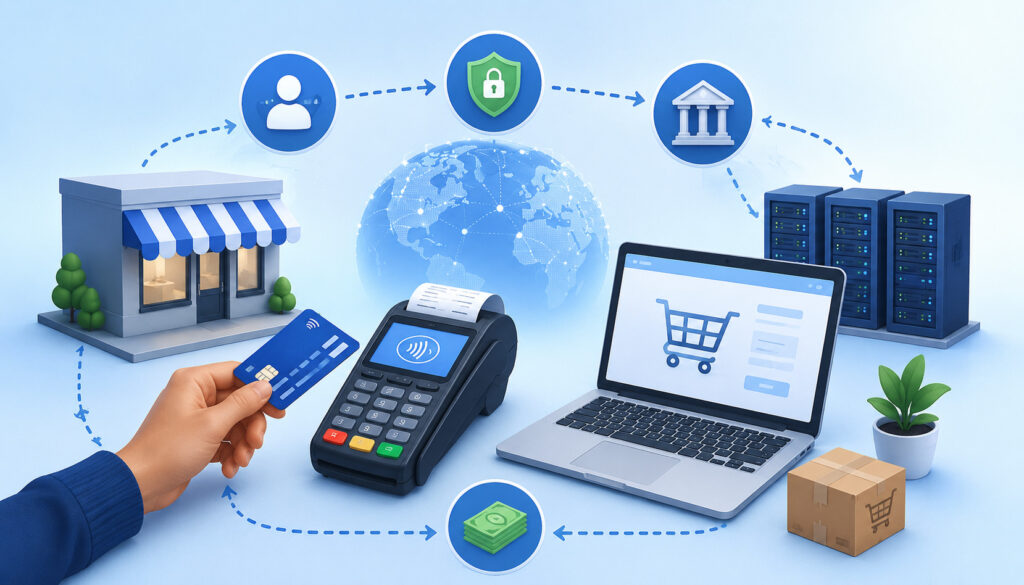
Merchant accounts work by connecting your business to the wider payment processing system. When a customer pays by card, several parties coordinate behind the scenes. The process usually takes only seconds at checkout, but the movement of money and data involves multiple steps.
At a high level, the customer presents card details, the transaction is sent for authorization, the issuing bank approves or declines it, the merchant captures the authorized payment, transactions are cleared through the card networks, settlement occurs, and funds are deposited into the business bank account.
The merchant account sits within this flow as part of the merchant-side payment acceptance and settlement structure.
For in-person payments, card data may come from a chip card, contactless wallet, swipe, or keyed entry. For online payments, card data usually moves through a payment gateway or hosted checkout.
For phone or mail orders, a virtual terminal may be used. For recurring billing, stored payment credentials may be represented through tokens rather than raw card numbers.
A merchant account does not work alone. It depends on the payment processor, acquiring bank, issuing bank, card networks, software, hardware, and security controls. This is why merchant services for beginners can seem complicated at first. The merchant account is one important piece, but it is part of a larger system.
For additional background on how card acceptance fits into business operations, you can review educational resources such as CardAccept’s guide to accepting card payments and general payment education from the Federal Reserve.
The Main Parties Involved
The customer is the person or organization making the purchase. The merchant is the business accepting payment. The payment processor routes transaction data and helps coordinate authorization, capture, clearing, settlement, and reporting.
The acquiring bank works on the merchant side. It supports the merchant’s access to the card payment system and may be involved in account approval, underwriting, risk monitoring, and settlement.
The issuing bank works on the customer side. It issued the customer’s card and decides whether to approve or decline the transaction based on available funds, credit limits, fraud signals, account status, and other rules.
Card networks connect the acquiring and issuing sides. They establish operating rules, move transaction messages, and help structure interchange and assessment fees. A payment gateway securely transmits online transaction data from an ecommerce checkout, invoice page, or web form to the processor.
A POS system, card reader, virtual terminal, or ecommerce platform is the merchant-facing tool used to start the transaction. These tools are not the merchant account itself, but they often connect to it.
Merchant Account vs Payment Processor vs Payment Gateway
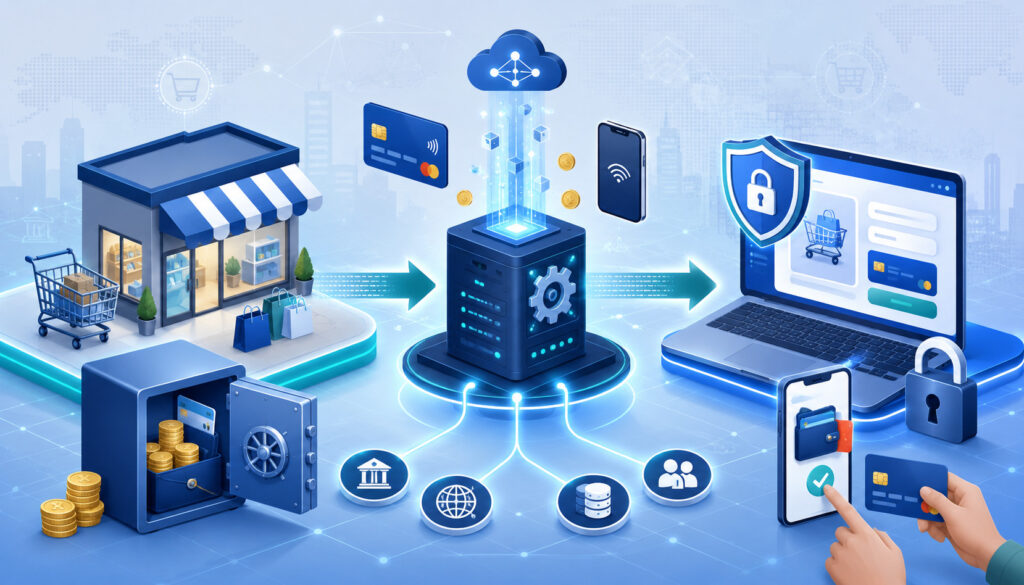
One of the most common beginner questions is the difference between a merchant account, payment processor, and payment gateway. These terms are related, but they describe different parts of payment processing.
A merchant account supports the business’s ability to accept card payments and receive funds after transactions are processed and settled. A payment processor routes transaction information between the merchant, acquiring bank, issuing bank, and card networks.
A payment gateway securely transmits payment information for online payments, ecommerce checkout pages, invoice links, and other card-not-present transactions.
Think of the merchant account as the business-side account relationship for card acceptance. Think of the processor as the routing and processing engine. Think of the gateway as the secure online doorway that sends card data from the checkout page into the payment system.
A business may also use a POS system, card reader, shopping cart, invoicing platform, or virtual terminal. These are tools for accepting payment information. They may be integrated with the processor and merchant account, but they are not the same thing.
A merchant services account may be used as a broader phrase. It can refer to the full package of services that help a business accept payments, including processing, hardware, software integrations, reporting, chargeback tools, gateway access, and support.
Merchant Account
A merchant account is connected to the merchant’s ability to accept card payments. It is usually reviewed through an application and underwriting process. That review may consider business type, ownership information, processing volume, average ticket size, refund policies, website details, transaction methods, and risk profile.
The merchant account helps manage the flow of authorized card payments before they are deposited into the business bank account. It may also be tied to a merchant ID, settlement reports, funding schedules, chargeback handling, and processing limits.
A merchant account for beginners should be understood as a specialized account for payment acceptance, not as a storage account for ordinary operating funds. Your business bank account is where settled deposits are usually sent. Your merchant account is part of the system that helps turn customer card payments into those deposits.
Some providers offer dedicated merchant accounts, while others use aggregated models. The right setup depends on the business model, transaction volume, risk profile, support needs, reporting needs, and payment channels.
Payment Processor Role
The payment processor handles transaction routing. When a customer pays, the processor sends transaction details through the appropriate channels for authorization. It communicates with the card networks, acquiring bank, and issuing bank so the transaction can be approved or declined.
The processor may also support capture, batch processing, settlement files, reporting, refunds, voids, chargeback notifications, and integrations. In many cases, the processor is the main technical connection between the merchant’s checkout tools and the banking/card network infrastructure.
Payment processors may charge transaction fees, monthly fees, statement fees, gateway-related fees, PCI-related fees, chargeback fees, or other costs depending on the agreement. Some processors use flat-rate pricing, while others use interchange-plus, tiered, or custom pricing.
Beginners should evaluate processors based on more than price. Support quality, uptime, reporting, integration options, funding timelines, risk policies, contract terms, and account stability can all matter.
Payment Gateway Role
A payment gateway is most important for online payments. It securely transmits payment information from a website, ecommerce checkout, invoice page, donation form, booking page, or virtual terminal to the payment processor.
The gateway may provide fraud filters, AVS checks, CVV checks, tokenization, encryption, recurring billing support, customer vault features, payment links, and transaction reports. Some gateways also support 3D Secure, which adds an authentication layer for certain online card transactions.
A gateway is not the same as an online merchant account. The online merchant account supports card acceptance and settlement. The gateway is the technology that transmits card-not-present payment data securely.
For ecommerce sellers, gateway compatibility is important. Before opening an ecommerce merchant account, check whether the gateway works with your shopping cart, subscription platform, accounting tools, fraud tools, and customer management system.
Types of Merchant Accounts for Different Businesses
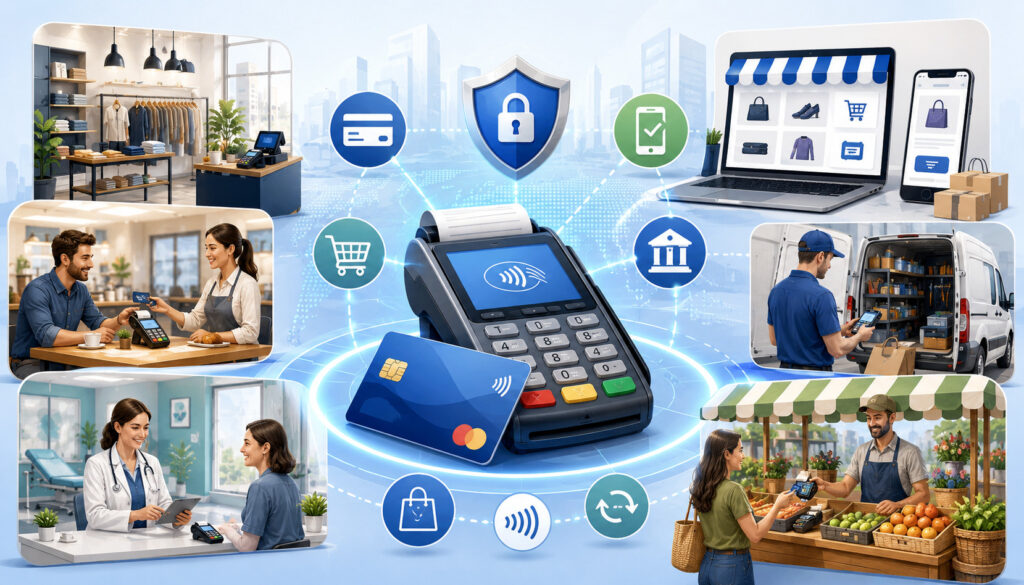
Different businesses accept payments in different ways. A merchant account setup should match how the business sells, where the customer pays, and what risk factors are involved. A retail shop has different needs from an ecommerce seller.
A restaurant has different needs from a professional service provider. A subscription business has different needs from a mobile vendor.
The phrase “merchant account” can sound like one standard product, but merchant account setup can vary widely. Some businesses need in-person card terminals. Some need a payment gateway. Some need recurring billing. Some need invoicing. Some need B2B payment tools. Some need a virtual terminal for phone payments. Some need all of these together.
A beginner-friendly setup starts with the sales environment. Ask where the transaction starts. Is the customer physically present? Does the customer enter card details online? Is the payment keyed by staff? Is the payment repeated monthly? Is the average ticket high? Are products shipped later? Are refunds common? These answers influence underwriting, pricing, hardware, software, and fraud controls.
For more information on online payment structures, resources such as CardAccept’s online payment processing content can help beginners connect merchant accounts with ecommerce and remote payments.
Business Merchant Account
A business merchant account is a broad term for a merchant account used by a company, professional, retailer, contractor, restaurant, ecommerce seller, or service provider. It supports payment acceptance under the business’s legal or operating identity.
Business merchant account requirements usually include owner information, business identity, tax details, business bank account information, expected processing volume, average transaction size, and details about what the business sells. Providers may also review websites, refund policies, shipping practices, fulfillment timing, and prior processing history.
A business merchant account can be used for one payment channel or several. For example, a service provider may accept invoices online and card payments in person. A retailer may use a POS system in-store and ecommerce checkout online. A B2B seller may accept card payments through invoices, virtual terminal entry, or customer portals.
For beginners, the key is to match the account to the real payment environment. A mismatch can lead to reporting confusion, declined transactions, delayed funding, compliance issues, or risk reviews.
Online Merchant Account
An online merchant account supports card-not-present payments. This includes ecommerce checkout, invoice links, web forms, customer portals, booking pages, and recurring billing pages. Because the customer is not physically presenting a card, online payments may require stronger fraud prevention tools.
An online merchant account often works with a payment gateway. The gateway captures payment details securely and sends them for authorization. The account setup may include fraud filters, AVS, CVV checks, tokenization, 3D Secure options, transaction velocity controls, and address matching.
Online businesses should pay close attention to website details. During application review, a provider may check product descriptions, pricing, contact information, privacy policy, refund policy, shipping policy, terms of service, and checkout transparency.
For beginners, an online merchant account should be evaluated for integration support. Make sure it works with your ecommerce platform, shopping cart, accounting software, subscription tools, and fraud prevention workflow.
Retail Merchant Account
A retail merchant account is designed for in-person payments. It may connect to a POS system, countertop terminal, card reader, cash drawer, receipt printer, inventory software, and customer-facing display. Retail payment activity often includes chip cards, contactless wallets, swipe fallback, and occasional keyed transactions.
Retail merchants should understand batch processing. At the end of a business day, transactions may be batched and submitted for settlement. Some systems do this automatically, while others require manual batch closing. If a batch is not closed correctly, deposits may be delayed.
A retail merchant account can also support refunds, voids, tip adjustments in certain environments, gift cards, loyalty programs, and reporting. Retailers should compare equipment costs, software fees, transaction rates, support availability, and integration options.
Beginners should avoid choosing hardware before confirming compatibility. A card reader or terminal may not work with every processor, POS system, or merchant account setup.
Ecommerce Merchant Account
An ecommerce merchant account is a type of online merchant account built for website-based selling. It supports ecommerce checkout and may integrate with shopping carts, inventory tools, tax tools, shipping platforms, fraud screening services, and customer management systems.
Ecommerce payments have special risk factors. The card is not physically presented, orders may be shipped after payment, fraud attempts can happen at scale, and chargebacks may arise from delivery issues, subscription confusion, product dissatisfaction, or unauthorized transaction claims.
A strong ecommerce merchant account setup should include clear checkout pages, accurate product descriptions, transparent pricing, confirmation emails, shipping records, refund policies, fraud filters, and customer service contact options. These details help with customer trust and dispute prevention.
For beginners, payment reporting is especially important. Ecommerce sellers should be able to match orders, authorizations, captures, refunds, chargebacks, fees, deposits, and settlement reports.
Mobile Merchant Account
A mobile merchant account supports payments away from a fixed checkout counter. Mobile service providers, event vendors, consultants, repair businesses, delivery businesses, field technicians, and market sellers may use mobile card readers or tablet-based POS systems.
Mobile payments can be convenient, but connectivity, battery life, device compatibility, receipt delivery, and offline transaction handling matter. If payments are accepted in areas with weak internet access, ask how offline transactions work and what risks apply.
Mobile merchants may accept chip, tap, swipe, or keyed transactions. Keyed transactions may cost more and carry more risk because the card is not read directly. For that reason, a mobile card reader that supports chip and contactless payments is often useful.
Beginners should also consider reporting by employee, location, event, route, or job. Good mobile payment reporting can make reconciliation easier at the end of the day.
What Happens During a Card Transaction
A card transaction may look simple to the customer, but it involves several stages. Understanding those stages helps beginners make sense of authorizations, pending charges, settlement reports, funding deposits, refunds, voids, and chargebacks.
The core stages are authorization, capture, clearing, settlement, and funding. In some businesses, these steps happen close together. In others, there may be a delay.
For example, an ecommerce seller might authorize payment when an order is placed and capture it when the order ships. A restaurant may authorize a card and later capture the final amount including tip. A hotel, rental business, or service provider may handle authorizations differently based on policy and card network rules.
The payment flow also affects customer service. A customer may see a pending authorization before the transaction settles. A void may remove an unsettled transaction differently from a refund after settlement. A refund may take time to appear on the customer’s card account. A chargeback is not the same as a refund because it is initiated through the cardholder’s bank.
Authorization
Authorization is the first major step in a card payment. The customer presents card information through a card reader, POS system, ecommerce checkout, payment link, or virtual terminal. The transaction information is sent through the processor and card network to the issuing bank.
The issuing bank checks whether the card is valid, whether funds or credit are available, whether fraud signals are present, and whether the transaction meets approval criteria. The bank then approves or declines the transaction.
An approved authorization means the transaction can proceed. It does not always mean the merchant has received the money yet. It also does not guarantee that a chargeback will not happen later.
For beginners, authorization is the “permission” step. It confirms that the card transaction can move forward, but capture, clearing, settlement, and funding still need to occur.
Capture
Capture is the step where the merchant confirms that an authorized transaction should be finalized for settlement. In many retail environments, authorization and capture happen very close together. In ecommerce, travel, hospitality, restaurant, and service settings, capture may happen later.
For example, an online store may authorize a payment when the order is placed but capture it when the item ships. A restaurant may authorize the card before the tip is finalized, then capture the adjusted amount later. A service provider may capture payment after confirming the job is complete.
Capture matters because an authorization can expire if not captured within the required timeframe. The rules can vary by transaction type and card network requirements.
Beginners should understand how their POS system, gateway, or invoicing tool handles capture. Some systems capture automatically, while others allow manual capture.
Clearing
Clearing is the process of exchanging finalized transaction details between the acquiring side and issuing side through the card networks. This step helps determine how the transaction is posted, what fees apply, and how funds are prepared for settlement.
Clearing includes important transaction data, such as card type, transaction amount, merchant category, authorization details, and other information that can affect interchange fees and reporting.
Beginners do not usually manage clearing directly, but it affects costs and deposits. For example, incorrect transaction data, delayed capture, or mismatched details may influence processing costs or reporting accuracy.
A good payment processing account should provide transaction-level reporting so the business can review activity, fees, refunds, deposits, and exceptions.
Settlement and Funding
Settlement is the movement of transaction funds through the payment system after transactions are cleared. Funding is the deposit of those funds into the merchant’s business bank account, minus applicable fees or according to the provider’s billing structure.
Settlement timing can vary. Some businesses receive deposits on a standard schedule, while others may qualify for different funding timelines depending on provider rules, risk profile, banking relationships, transaction type, batch timing, weekends, holidays, and account status.
Batch processing can affect funding. If a retail batch closes after the daily cutoff, those transactions may settle later than expected. Ecommerce and recurring billing platforms may have their own settlement timing rules.
Beginners should review funding timelines carefully. Ask when deposits are sent, how weekends and holidays are handled, whether fees are deducted daily or billed monthly, and how settlement reports match deposits.
Merchant Account Requirements and Application Basics
Opening a merchant account usually requires an application review. This process is often called underwriting. The provider and acquiring bank want to understand who owns the business, what the business sells, how payments are accepted, how much volume is expected, and what risks may apply.
Merchant account requirements can vary, but beginners should expect to provide business identity details, ownership information, business bank account information, processing estimates, product or service descriptions, refund policies, website details if selling online, and sometimes prior processing statements.
The review is not only about approval. It also helps determine pricing, processing limits, reserve requirements if applicable, settlement timing, accepted transaction types, and risk monitoring.
A startup may be reviewed differently from an established business with years of processing history. An ecommerce seller may be reviewed differently from a retail shop. A high-ticket service provider may be reviewed differently from a low-ticket cafe.
Underwriting may feel formal, but it serves a practical purpose. Card payments include the possibility of refunds, disputes, fraud, delayed fulfillment, and chargebacks. The provider needs enough information to assess whether the business model fits its risk guidelines.
For general small business preparation, resources from the U.S. Small Business Administration and IRS business guidance can be useful when organizing business documentation.
Business Verification
Business verification confirms that the business exists and that the applicant is authorized to open a merchant account. Depending on the business structure, the provider may ask for legal business name, trade name, business address, tax identification details, ownership information, and contact details.
The provider may also ask about industry type, products or services sold, business history, expected monthly volume, average ticket size, highest expected ticket size, and whether transactions are in person, online, keyed, recurring, or invoiced.
For a new business, projections may be acceptable, but they should be realistic. Overstating expected processing volume can create issues later if activity looks unusual. Understating high-ticket sales can also create review problems if large transactions appear unexpectedly.
Beginners should answer application questions accurately. The goal is not to make the business look risk-free; the goal is to help the provider understand the business clearly.
Website and Policy Review
For online merchant account setup, website review is often important. A provider may check whether the website clearly explains what is being sold, shows pricing, identifies the business, provides customer service contact information, and includes refund, cancellation, privacy, and shipping policies where applicable.
This review matters because unclear websites can lead to customer confusion, disputes, and chargebacks. If customers do not understand what they bought, when it will arrive, how billing works, or how to request help, payment risk increases.
Subscription businesses should be especially clear about recurring billing terms. Customers should know the billing amount, billing frequency, cancellation process, trial terms, and renewal terms before submitting payment.
Beginners should review the customer journey before applying. Walk through your own website as if you were a first-time buyer. Confirm that checkout details, confirmation messages, receipts, and policies are easy to find.
Underwriting and Risk Profile
Underwriting is the application review process used to evaluate a business’s risk profile. Factors may include industry, transaction volume, average ticket size, delivery timing, refund rates, chargeback history, card-not-present volume, subscription billing, business age, owner verification, and prior processing history.
A business with high average tickets, delayed delivery, recurring billing, international orders, or higher dispute potential may receive additional review. That does not mean it cannot get a merchant account, but it may need stronger documentation or different terms.
Underwriting can also affect reserve requirements. A reserve is a portion of funds held temporarily to cover potential chargebacks, refunds, or other liabilities. Not all accounts have reserves, and reserve terms vary.
For beginners, the best approach is transparency. Provide accurate details, clear policies, realistic volume estimates, and supporting documents when requested.
Merchant Account Fees Beginners Should Understand
Merchant account fees can be confusing because several parties may be involved in a transaction. Some fees come from card networks and issuing banks. Some come from the payment processor or merchant services provider. Some are tied to software, gateways, hardware, compliance, statements, chargebacks, or optional services.
The most common merchant account fees include transaction fees, interchange fees, assessment fees, processor markup, monthly fees, gateway fees, equipment costs, PCI-related fees, chargeback fees, and statement fees. The exact mix depends on pricing model, provider, transaction type, card type, processing volume, and business risk profile.
Beginners should focus on total cost, not just the advertised rate. A low transaction rate may come with monthly minimums, statement fees, gateway fees, batch fees, PCI fees, or equipment leases.
A flat-rate plan may look simple but may not be the least expensive for every business. Interchange-plus pricing may be more transparent, but it requires understanding statement details.
Card-present transactions often price differently from card-not-present transactions. Rewards cards, business cards, manually keyed cards, international cards, and online transactions may carry different costs. Chargebacks can also create fees beyond the disputed sale amount.
Interchange Fees
Interchange fees are paid through the card payment system and are generally associated with the issuing bank side of a card transaction. They vary based on card type, transaction method, merchant category, data quality, risk level, and card network rules.
A basic debit card used in person may have a different interchange cost than a rewards credit card used online. A business card, keyed transaction, or card-not-present transaction may also price differently.
Merchants usually do not negotiate interchange directly. Instead, the pricing model determines how interchange is passed through or bundled. In interchange-plus pricing, interchange is typically shown separately from processor markup. In flat-rate pricing, interchange is usually built into the overall rate.
For beginners, the important point is that not every fee is created by the provider. Some costs are structural parts of card payment acceptance.
Assessment Fees
Assessment fees are generally charged by card networks. They are separate from interchange and processor markup. These fees may appear as small percentages or line items depending on statement format and pricing model.
Assessment fees help support the card network infrastructure, rules, processing systems, and brand acceptance environment. Like interchange, assessment fees are usually not individually negotiated by a small merchant.
Beginners may not see assessment fees clearly if they use bundled pricing. With more detailed pricing models, assessments may appear as separate line items.
When comparing providers, ask whether pricing is bundled, tiered, flat-rate, or interchange-plus. This helps you understand whether assessment fees are visible or included inside broader charges.
Processor Markup
Processor markup is the amount charged by the processor or merchant services provider above underlying card network and interchange costs. This markup may appear as a percentage, per-transaction fee, monthly fee, gateway fee, or other service charge.
Processor markup pays for transaction routing, account service, reporting, support, risk monitoring, software access, integrations, and operational infrastructure. The structure can vary significantly between providers.
Beginners should compare markup in context. A very low markup may not mean the best overall setup if support is limited, reporting is weak, integration is poor, or other fees are high. A higher-cost setup may still make sense if it includes specialized tools or support that reduces operational friction.
The key is transparency. Ask what is charged by card networks, what is charged by the processor, and what optional services cost.
Monthly, Gateway, Equipment, and Other Fees
Merchant account fees may include monthly account fees, statement fees, PCI-related fees, gateway fees, virtual terminal fees, batch fees, chargeback fees, retrieval fees, equipment rental fees, software fees, and early termination fees.
Gateway fees may apply for online payments. Equipment costs may apply for terminals, card readers, POS devices, receipt printers, or accessories. Some providers sell equipment upfront, while others rent or lease it. Equipment leases should be reviewed carefully because long-term costs may exceed the equipment’s value.
PCI-related fees may support compliance tools, scans, questionnaires, or account monitoring, but businesses should understand what is actually included. Chargeback fees may apply when a dispute is filed, regardless of outcome.
Beginners should request a complete fee schedule in writing. Also ask which fees are optional, which are required, which are one-time, and which are recurring.
Security, PCI Compliance, Fraud Prevention, and Chargebacks
Payment security is a central part of merchant services. Businesses that accept card payments have responsibilities related to protecting cardholder data, reducing fraud risk, managing disputes, and maintaining secure payment environments. These responsibilities apply whether payments happen in person, online, by phone, through invoices, or through recurring billing.
PCI DSS is the major security standard for businesses that store, process, or transmit cardholder data. The PCI Security Standards Council provides official resources about PCI DSS and payment security requirements. Beginners do not need to become security engineers, but they should understand that PCI compliance is not optional when card data is involved.
Modern payment systems may use encryption and tokenization to reduce exposure to sensitive card data. Encryption protects data while it is being transmitted or stored in protected environments. Tokenization replaces sensitive card details with a token that can be used for future transactions without exposing the original card number.
Fraud prevention tools may include AVS, CVV checks, velocity filters, IP checks, device data, order review rules, 3D Secure, transaction limits, and manual review workflows. None of these tools can eliminate fraud completely, but they can reduce risk when used properly.
Chargebacks are another important topic. A chargeback occurs when a cardholder disputes a transaction through the issuing bank. The merchant may be asked to provide evidence such as receipts, delivery confirmation, refund policy, customer communication, signed agreements, or proof of service.
The Federal Trade Commission also provides business guidance on fraud, consumer protection, and data security topics that can help merchants think more carefully about customer trust and compliance.
PCI Compliance
PCI compliance refers to following the Payment Card Industry Data Security Standard. The requirements depend on how a business accepts, stores, processes, or transmits cardholder data. A small retail shop using approved terminals may have different compliance tasks than an ecommerce business handling online payments.
Many beginners complete a self-assessment questionnaire and may need vulnerability scans if their systems are connected to the internet in certain ways. Providers may offer PCI support tools, but the business remains responsible for following applicable requirements.
A practical way to reduce PCI burden is to avoid handling raw card data whenever possible. Hosted payment pages, tokenized payment forms, secure card readers, and compliant gateways can reduce exposure.
Businesses should never store card numbers in spreadsheets, notes, email inboxes, paper files, or unsecured systems. Doing so can create serious security and compliance risks.
Fraud Prevention
Fraud prevention starts with understanding how customers pay. In-person transactions using chip or contactless cards usually carry different fraud risks than online transactions where the card is not physically present.
Online merchants should consider AVS, CVV, fraud scoring, velocity controls, billing and shipping address review, order confirmation, IP analysis, device checks, and 3D Secure where appropriate. Subscription businesses should also provide clear renewal notices, cancellation paths, and billing descriptors.
Mobile merchants should use secure card readers instead of keying transactions whenever possible. Keyed payments can increase risk because the card is not electronically read.
No fraud tool is perfect. Strong fraud prevention combines technology, policies, staff training, customer communication, and transaction monitoring.
Chargebacks
Chargebacks can happen for many reasons, including unauthorized transaction claims, product not received claims, duplicate billing, customer dissatisfaction, subscription cancellation disputes, processing errors, or confusion about the billing descriptor.
When a chargeback occurs, the merchant may have a limited time to respond. The response may require evidence such as receipts, invoices, delivery tracking, signed contracts, service logs, refund policy acceptance, customer messages, or proof that the cardholder participated in the transaction.
Chargebacks can affect cash flow because the disputed amount may be withdrawn while the case is reviewed. Chargeback fees may also apply. Too many chargebacks can affect a merchant’s risk profile.
Beginners should treat chargeback prevention as an everyday process. Clear communication, accurate billing, prompt refunds when appropriate, reliable fulfillment, and good records can make a meaningful difference.
Refunds, Voids, and Reconciliation
Refunds and voids are not the same. A void usually cancels a transaction before it settles. A refund returns money after the transaction has settled. The customer experience and timing can differ.
Reconciliation is the process of matching sales, refunds, fees, chargebacks, batches, settlement reports, and bank deposits. Good reconciliation helps finance teams confirm that expected funds arrived and that fees are understood.
Payment reporting should show transaction dates, settlement dates, gross sales, refunds, chargebacks, fees, net deposits, and funding batches. For restaurants, tips may also need careful reconciliation. For ecommerce, order numbers and transaction IDs should match.
Beginners should review settlement reports regularly instead of waiting until month-end. Early review helps catch missing deposits, duplicate transactions, refund errors, or unexpected fees.
Common Merchant Account Mistakes to Avoid
Beginners often make merchant account decisions quickly because they want to start accepting payments as soon as possible. Speed matters, but rushing can lead to avoidable problems. The wrong setup may create higher costs, poor reporting, delayed deposits, integration issues, security gaps, or difficult contract terms.
One common mistake is confusing a merchant account with a business bank account. Another is assuming that every payment provider, processor, gateway, POS system, and card reader does the same thing. These tools may work together, but they have different roles.
Another common mistake is focusing only on the headline transaction rate. Merchant account fees may include monthly fees, gateway fees, PCI-related fees, chargeback fees, batch fees, equipment costs, software fees, statement fees, and other charges. The total cost matters more than one advertised percentage.
Some businesses also fail to prepare for underwriting. Missing documents, unclear websites, inconsistent business names, vague product descriptions, unrealistic volume estimates, or absent refund policies can slow approval or lead to account issues later.
Security mistakes are also common. Businesses should avoid storing card data insecurely, sharing terminal passwords, ignoring PCI tasks, skipping fraud settings, or failing to monitor chargebacks.
Mistake: Choosing Based Only on Price
Price is important, but the cheapest-looking option may not be the best fit. A low processing rate may come with extra fees, limited support, weak reporting, long contract terms, or limited integrations.
For example, an ecommerce business may save time and reduce errors with a gateway that integrates cleanly with its shopping cart and accounting software. A restaurant may need reliable tip adjustment, batch reporting, and after-hours support. A mobile merchant may need durable hardware and strong connectivity options.
When comparing costs, include transaction fees, monthly fees, gateway fees, equipment costs, chargeback fees, PCI-related fees, software fees, and support needs.
The better question is not “Which option is cheapest?” It is “Which option gives the business the right cost, reliability, features, reporting, and risk controls?”
Mistake: Ignoring Contract Terms
Merchant account agreements can include important terms about pricing, termination, equipment, chargebacks, reserves, funding delays, prohibited activities, processing limits, and account reviews. Beginners should read these details before signing.
Pay special attention to early termination fees, automatic renewal clauses, equipment leases, monthly minimums, reserve rights, and fee change notices. If something is unclear, ask for clarification in writing.
Equipment contracts deserve careful review. A terminal lease may appear affordable monthly but cost more over time than buying compatible equipment outright.
Businesses should also understand what happens if sales volume changes, average ticket size increases, chargebacks rise, or the business adds a new product line. Merchant accounts are approved based on a specific risk profile, so major changes may require notice or review.
Mistake: Weak Payment Reporting
Poor reporting can make reconciliation difficult. If your payment system does not clearly show sales, refunds, voids, chargebacks, fees, deposits, and settlement batches, your finance team may spend extra time matching records.
Retail businesses may need reports by register, employee, location, batch, or payment type. Ecommerce businesses may need reports by order ID, transaction ID, customer, gateway status, refund, and settlement date. Subscription businesses may need recurring billing reports, failed payment reports, and customer update logs.
Beginners should ask to see sample reports before choosing a setup. Good reporting helps with bookkeeping, tax preparation, customer service, dispute response, and cash flow monitoring.
Payment reporting is not just an administrative feature. It is part of running a financially organized business.
How to Choose a Merchant Account Setup
Choosing a merchant account setup starts with understanding your business model. The best setup for a retail store may not work for an ecommerce seller. The best setup for a restaurant may not work for a mobile service provider. The best setup for occasional freelance invoices may not work for a high-volume subscription business.
Start by listing your payment channels. Do customers pay in person, online, by invoice, by phone, by recurring billing, through a mobile device, or through a POS system? Then identify the tools required for each channel: card reader, POS system, payment gateway, virtual terminal, ecommerce checkout, mobile app, recurring billing engine, or invoicing system.
Next, compare pricing models. Ask whether the account uses flat-rate, tiered, interchange-plus, subscription-style, or custom pricing. Review transaction fees, monthly fees, gateway fees, PCI-related fees, equipment costs, chargeback fees, and contract terms.
Then review integrations. A merchant account setup should work with your website, POS system, accounting software, inventory tools, customer management system, booking platform, or subscription platform where needed.
Finally, assess support and risk policies. Ask how chargebacks are handled, how quickly support responds, how funding timelines work, what reports are available, and what happens if your volume grows.
For more beginner-focused payment education, you may find resources such as CardAccept’s merchant services articles useful when comparing different payment acceptance options.
Compare Payment Channels
Your payment channels determine much of your merchant account setup. In-person payments may require terminals, card readers, POS software, receipt options, and batch processing. Online payments may require a gateway, hosted checkout, fraud tools, and ecommerce integrations.
Invoice payments may require payment links, customer email delivery, virtual terminal access, and accounting integration. Recurring billing may require tokenization, customer vault tools, billing schedules, retry logic, and cancellation tracking.
A business with multiple channels should ask whether all payments can be reported in one dashboard. Separate systems can work, but they may complicate reconciliation.
Beginners should avoid paying for tools they do not need yet, but they should also avoid setups that cannot grow with the business.
Review Settlement Timing
Settlement timing affects cash flow. Ask when transactions are batched, when settlement occurs, when deposits are sent, and when funds appear in the business bank account. Also ask how weekends, holidays, risk reviews, chargebacks, and bank processing times may affect funding.
Some businesses care deeply about predictable deposits. Restaurants, retailers, and service providers may use daily deposits to manage payroll, inventory, rent, and supplier payments. Ecommerce businesses may need to match deposits to shipped orders.
Funding speed can vary by provider, account history, transaction type, and risk profile. Avoid assuming that every payment will be deposited on the same schedule.
Beginners should review settlement reports and bank deposits during the first few weeks of processing to confirm that expectations match reality.
Check Integrations and Support
A merchant account setup should fit your software environment. Retail businesses may need POS integration. Ecommerce sellers may need shopping cart compatibility. Service providers may need invoicing and accounting integration. Subscription businesses may need recurring billing and customer vault features.
Support also matters. Payment issues can affect sales, cash flow, and customer experience. Ask when support is available, how urgent issues are handled, and whether support can help with gateways, terminals, chargebacks, PCI questions, and settlement reports.
Some businesses need specialized support for multi-location reporting, tip adjustments, B2B card payments, card-not-present transactions, or higher-ticket sales.
Beginners should test support before committing. Ask practical questions and see whether the answers are clear, specific, and relevant.
Merchant Account Checklist for Beginners
Before applying for a merchant account, gather the information and documents that providers commonly review. A prepared application can reduce delays and help the provider understand your business accurately.
Start with your business identity. Confirm your legal business name, trade name, business address, ownership details, tax information, contact details, and business bank account information. Make sure these details are consistent across your application, website, bank records, and business documents.
Next, prepare your payment expectations. Estimate monthly processing volume, average ticket size, highest expected ticket size, refund frequency, card-present volume, card-not-present volume, and recurring billing volume if applicable. If you are a startup, use reasonable projections based on your sales plan.
Then review your customer-facing materials. Online sellers should have clear product or service descriptions, pricing, refund policy, cancellation policy, shipping policy if relevant, privacy policy, contact information, and checkout disclosures. Service businesses should have invoices, contracts, work descriptions, and refund terms where appropriate.
Finally, compare providers carefully. Look at pricing, contract terms, settlement timing, reporting, integrations, support, security tools, fraud controls, chargeback handling, and equipment compatibility.
Beginner Setup Checklist
Use this checklist before opening or switching a merchant account:
- Confirm your legal business name and operating name.
- Open or verify your business bank account.
- Gather owner identification and business verification details.
- Estimate monthly card processing volume.
- Estimate average ticket size and highest ticket size.
- Identify payment channels: in person, online, invoice, phone, mobile, or recurring.
- List required tools: POS system, card reader, payment gateway, virtual terminal, or ecommerce checkout.
- Prepare website policies if accepting online payments.
- Review refund, cancellation, shipping, and fulfillment terms.
- Ask for a full fee schedule.
- Ask about interchange, assessments, processor markup, and monthly fees.
- Confirm gateway fees, equipment costs, PCI-related fees, and chargeback fees.
- Review settlement timing and funding reports.
- Confirm software integrations.
- Review PCI compliance responsibilities.
- Ask how fraud filters, AVS, CVV, tokenization, and encryption are supported.
- Understand chargeback alerts, response timelines, and documentation needs.
- Read contract terms before signing.
- Save all account documents in one organized folder.
Questions to Ask Before Applying
Before you choose a provider, ask direct questions that connect to your business model. For example, ask whether the merchant account supports your exact transaction types.
A business that accepts recurring billing should not choose a setup that lacks subscription tools. A restaurant should not choose a setup that cannot handle tips and batch reporting properly.
Ask how fees are structured. Find out whether pricing is flat-rate, tiered, interchange-plus, or another model. Ask for examples based on your expected volume and average ticket size.
Ask about settlement timing. Find out when batches close, when deposits are sent, and what could delay funding. Ask how refunds and chargebacks affect deposits.
Ask about support. Find out who helps with terminal issues, gateway errors, PCI questions, chargebacks, reporting, and account updates.
The best merchant account setup is not just approved. It is understandable, usable, secure, and aligned with how your business gets paid.
What is a merchant account in simple terms?
A merchant account is a payment processing account that helps a business accept credit card and debit card payments. It supports the process of authorizing, capturing, clearing, settling, and funding card transactions.
It is not the same as a regular business bank account. The merchant account is part of the card payment system, while your business bank account is where settled deposits usually arrive.
Do all businesses need a merchant account?
Not every business needs the same type of merchant account. Some businesses use payment platforms that bundle payment acceptance, while others use a dedicated merchant account through a merchant services provider.
Businesses that want more control over card payments, reporting, pricing structure, hardware, gateway integrations, or underwriting may consider a merchant account setup. The right choice depends on sales volume, risk profile, payment channels, software needs, and business goals.
Is a merchant account the same as a business bank account?
No. A merchant account and a business bank account serve different purposes. A merchant account supports card payment acceptance and settlement. A business bank account stores operating funds and receives deposits after settlement.
A business usually needs a business bank account before applying for a merchant account because the provider needs somewhere to send payment deposits.
What is the difference between a merchant account and payment processor?
A merchant account supports the merchant’s ability to accept card payments and receive settled funds. A payment processor routes transaction data between the merchant, acquiring bank, card networks, and issuing bank.
They work together, but they are not the same. The processor handles transaction communication and processing activity, while the merchant account is part of the merchant-side account structure for card acceptance.
How long does merchant account setup usually take?
Merchant account setup timing can vary. Some applications may be reviewed quickly, while others require additional documents, website changes, underwriting review, equipment setup, gateway configuration, or integration testing.
The timeline depends on provider requirements, business model, transaction risk, application completeness, and whether online or specialized payment tools are needed. Beginners can reduce delays by preparing accurate business information, bank details, website policies, and processing estimates before applying.
What fees come with merchant accounts?
Common merchant account fees may include transaction fees, interchange fees, assessment fees, processor markup, monthly fees, gateway fees, equipment fees, PCI-related fees, chargeback fees, statement fees, and software fees.
The exact fees depend on the provider, pricing model, card types, transaction methods, processing volume, and business risk profile. Beginners should request a full fee schedule and sample statement before choosing a setup.
Can a new business get a merchant account?
Yes, a new business may be able to get a merchant account, but approval rules vary. Since a new business may not have processing history, the provider may rely more on business model details, owner verification, expected volume, average ticket size, website quality, refund policy, and risk review.
New businesses should provide realistic projections and clear documentation. Approval, limits, reserves, pricing, and funding terms can vary based on the provider and risk profile.
What should beginners check before choosing a merchant account?
Beginners should check payment channel support, pricing structure, total fees, contract terms, settlement timing, gateway compatibility, POS or card reader compatibility, reporting tools, PCI compliance support, fraud prevention features, chargeback process, and customer support.
It is also important to understand how the setup works from transaction authorization to funding. A good merchant account setup should match the way your business actually accepts payments.
Conclusion
Merchant accounts are a key part of card payment acceptance, but they are only one piece of the larger payment processing system. A merchant account helps a business accept card payments and receive funds after transactions move through authorization, capture, clearing, settlement, and funding.
For beginners, the most important idea is that a merchant account is not the same as a business bank account, payment processor, payment gateway, POS system, card reader, virtual terminal, or payment app. These tools and services often work together, but each has a different role.
A good merchant account setup should match your business model. A retail shop may need a POS system and card reader. An ecommerce seller may need a payment gateway and fraud filters. A restaurant may need tip support and batch reporting.
A mobile merchant may need portable hardware. A subscription business may need recurring billing, tokenization, and customer vault features.
Before applying, review your business identity, bank account, transaction volume, average ticket size, website policies, refund process, software needs, security responsibilities, and chargeback procedures.
Compare merchant account fees carefully, including interchange fees, assessment fees, processor markup, monthly fees, gateway fees, equipment costs, PCI-related fees, and chargeback fees.
The best approach is practical and informed. Understand how payments move, ask clear questions, review the full agreement, prepare accurate documents, and choose a setup that supports secure payments, reliable reporting, manageable fees, and a better customer experience.